[Sky apps & sites]
How to choose a stargazing app or website — what actually matters
A practical guide to choosing a stargazing app or website — star data accuracy, browser versus install, offline use, time controls, AR, cost and learning.
A bright point appears above the rooftops one evening, steadier than the stars around it. Searching for a stargazing app to identify it brings up a long list: phone apps and websites, free and paid, flat star charts and full 3D simulators. Most of them look similar in screenshots, which makes the choice harder than it should be.
This guide does not walk through any single product. It sets out the criteria that separate one kind of sky tool from another: where the star data comes from, what a browser can do compared with an installed app, how a tool behaves without a signal, and what the free version actually covers. With those points in hand, it becomes easier to match a tool to the way the sky is really used.
Four kinds of sky tools
Everything in this space gets called a star app, but the tools do quite different jobs. Sorting them into types first narrows the field.
| Type | Strength | Weak spot |
|---|---|---|
| Printed chart | No battery, no glare | Fixed date and time |
| Web simulator | No install | Needs a connection |
| Phone app | Point and identify | Compass drift |
| Desktop program | Deep catalogues | Stays indoors |
A printed chart or planisphere — a rotating card that shows which stars are up at a given hour — needs no power and gives off no light. It cannot show the planets, though, because they drift against the stars from month to month.
A web simulator calculates the sky for a chosen place and moment and draws it in the browser. Stellarium Web, the browser version of the open-source Stellarium project, works this way, and so does NowSky. The same address opens on a laptop for planning and on a phone outside.
A phone app uses the phone's sensors so the chart follows where the device is pointed. Star Walk 2, which runs on iOS and Android, and Sky Guide, made for iPhone, iPad and Apple Watch, are widely used examples. SkySafari, also on iOS and Android, leans further towards telescope users.
A desktop program such as Stellarium, which runs on Windows, macOS and Linux, offers the largest catalogues and the deepest zoom. It suits study and planning far better than a cold field.
In practice one tool rarely does everything. Many observers end up with one for planning at home and another for checking outdoors.
How to choose a stargazing app: the criteria that matter
The following checks quickly show whether a tool deserves a place on the home screen.
Accuracy and data sources. Good tools draw star positions and brightness from professional catalogues rather than hand-placed dots. ESA's Hipparcos satellite, which operated from 1989 to 1993, catalogued about 118,000 stars with high precision, and its successor Gaia has since measured far more; Stellarium's desktop version now uses Gaia DR3 data alongside Hipparcos. A quick test needs no documentation: Sirius should look clearly brighter than any other star, while Polaris, the Pole Star, should look fairly modest. If every star is drawn at the same size, brightness is not being modelled.
Browser or install. A browser tool opens at once on almost any device and needs no storage. An installed app can use the phone's sensors more fully and usually copes better without a network. Neither is better in general; the answer depends on whether convenience or field use comes first.
Offline use. Dark sites are often far from mobile coverage. Some developers state plainly that their app works with limited service — Sky Guide's makers highlight off-grid use, for example. With a web tool, the practical habit is to open and set up the view before losing signal.
Location and time control. The sky depends on where and when it is seen. London and Sydney see different constellations, and the same city at 9 p.m. and 3 a.m. shows a different sky. A useful tool lets the location be set to a chosen city and lets time run forwards or backwards, so tonight's late sky or next month's evening sky can be previewed. Planets and the Moon should move when the date changes; if they stay put, the tool is a static chart.
AR and the compass. Pointing a phone at the sky is genuinely helpful, but the magnetic sensor drifts near cars, railings and even some phone cases, so the overlay can sit several degrees off. A tool that also allows dragging the view by hand stays usable when the sensors misbehave. A dimmed or red display matters as well, since a bright white screen undoes the eye's dark adaptation in seconds.
Cost and ads. Pricing models vary widely. Stellarium is free and open-source. Star Walk 2 is free with ads and offers in-app purchases. SkySafari is sold in several paid editions. NASA's Eyes on the Solar System is free. The sensible approach is to confirm that the basics — location, time and object identification — work at no cost before paying for anything.
Learning features. Beyond names, some tools explain what an object is, how far away it lies and how it moves. Event calendars, satellite tracking and 3D views of planets help the sky make sense over months, not just on one night.
Planning at home, checking outside
With the criteria set, it helps to see how they play out on screen. The images below come from NowSky's sky view, which runs in the browser with no install, needs no account and has a free tier.
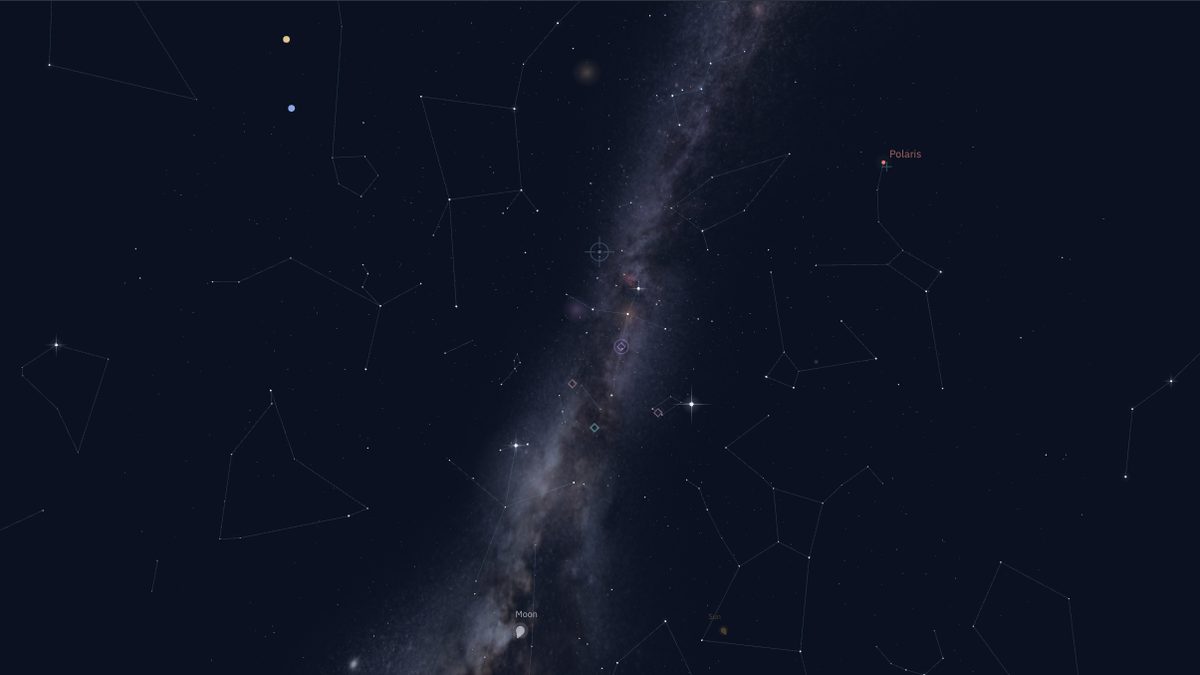
Here the location is set to New York and the time to 9 pm local time on 15 October 2026 (01:00 UTC on 16 October). The Milky Way arches high across the sky. Seeing it with the naked eye requires a dark site well away from city lights, but knowing its direction in advance means less searching on arrival. This kind of large-screen preview is what web simulators do best. From Sydney or Cape Town on the same date, the same view shows a different set of constellations, with the southern Milky Way taking the place of the northern one.
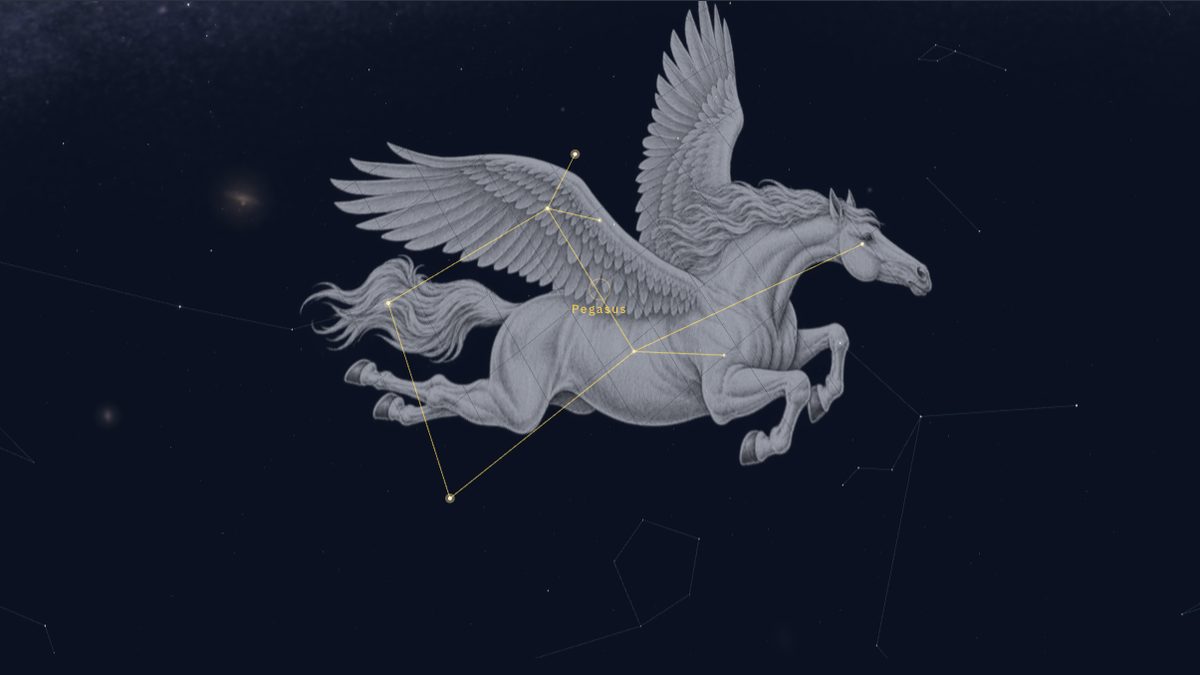
At the same moment, Pegasus is selected. Lines and figure artwork appear on screen, but the real sky has neither. What matters outdoors is the skeleton of bright stars. For Pegasus that is the Great Square, four stars forming a large box that rides high on autumn evenings from Europe and North America and sits lower in the north from Australia or South Africa.
Outside, the priorities shift: a screen dim enough not to dazzle, controls that work with cold fingers, and a battery that survives the night. Opening the view before going out, then glancing at it only when needed, saves both night vision and charge.
Beyond the constellations: seeing where the planets are
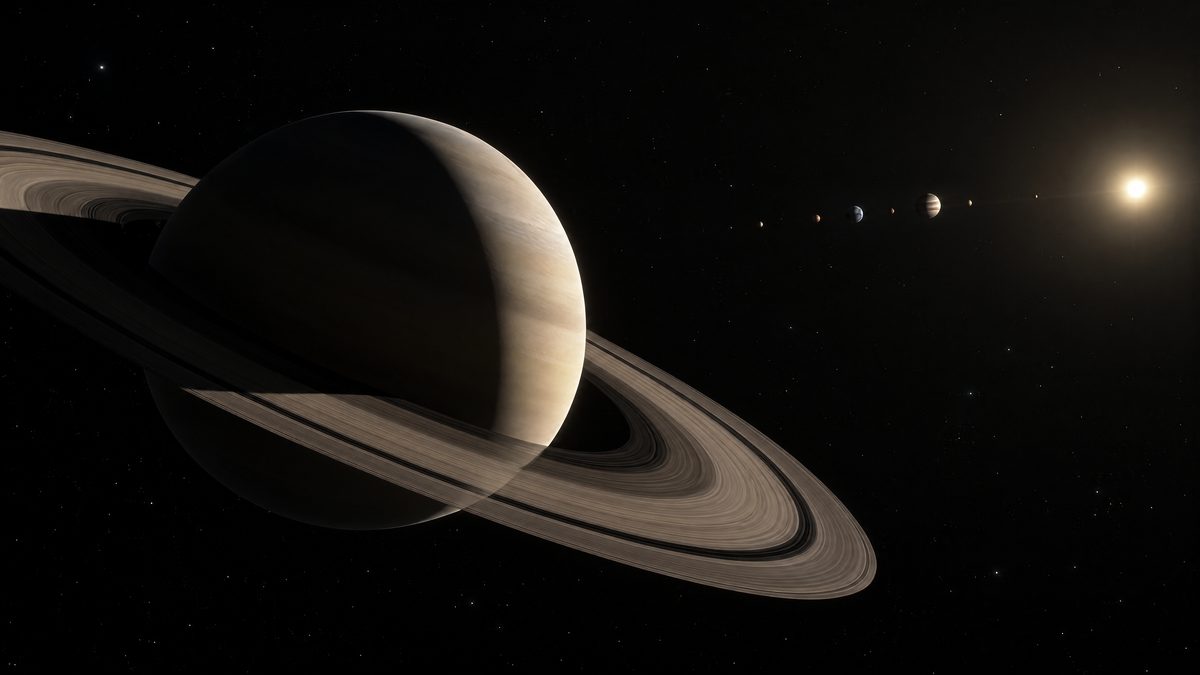
Sooner or later a bright, steady point turns up among the constellations, and a sky chart alone does not explain why it is there. It is usually a planet. The word comes from the Greek for "wanderer", because planets drift through the constellations over weeks and months. That makes one more criterion worth checking: whether a tool can also show the solar system from outside.
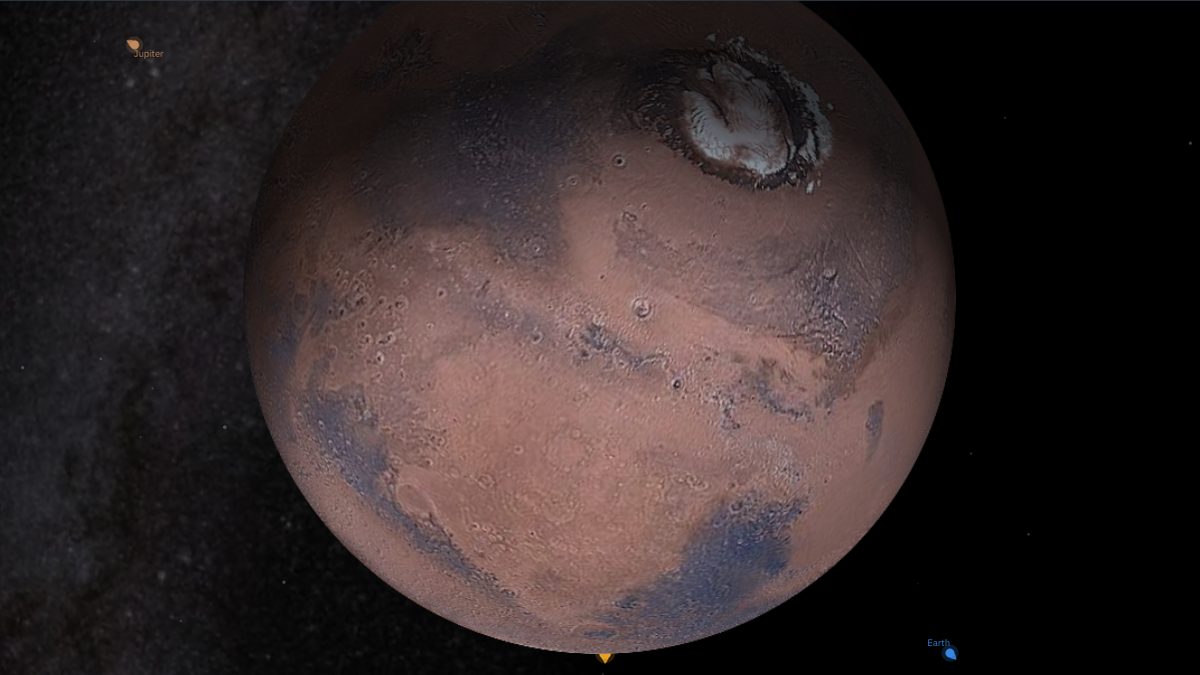
NASA's Eyes on the Solar System runs in a web browser and shows planets, moons and spacecraft in 3D using NASA data, with time controls spanning 1950 to 2050. NowSky's orbit view likewise places the planets at their calculated positions and can follow one up close. A question such as "why is that point only visible after sunset?" is answered faster by seeing Earth, the Sun and the planet from above than by any star chart.
Frequently asked questions
Should a beginner start with an app or a website?
A website that opens without installing anything is the lower-commitment start. If pointing a phone at the sky becomes a regular need, an app with sensor support can be added later.
How many constellations are there?
The International Astronomical Union recognises 88 constellations, whose boundaries cover the whole sky, so every star belongs to exactly one. Not all of them rise everywhere: some far-southern constellations never clear the horizon from Europe, and the reverse holds from Australia.
Is a sky tool useful on a cloudy night?
Yes. A cloudy evening is a good time to choose the next target, note when it rises and in which direction, and head outside on the next clear night already knowing where to look.
Final thoughts
Choosing a stargazing app comes down to a handful of checks: real star data, a sky set to the right place and time, honest behaviour offline, controls that still work when the compass drifts, and a free tier that covers the basics. Separating the planning tool from the field tool makes the choice simpler still. In the end, though, the eyes do the stargazing; once a square of stars on the screen lines up with the real sky, the tool matters much less than it seemed at the start.
Open the screens from this post
- See my sky nowsky view for your place and time
- Watch the solar systemplanets at their real positions